Bring your notes.
Learn with Teacher Studio.
A topic, a few pages, or a chapter. Turn your notes into a spoken lesson, with a whiteboard that explains it step by step.
Start with the free plan. No credit card needed.
Class and page limits apply. Currently teaches in English only.
See a sample class
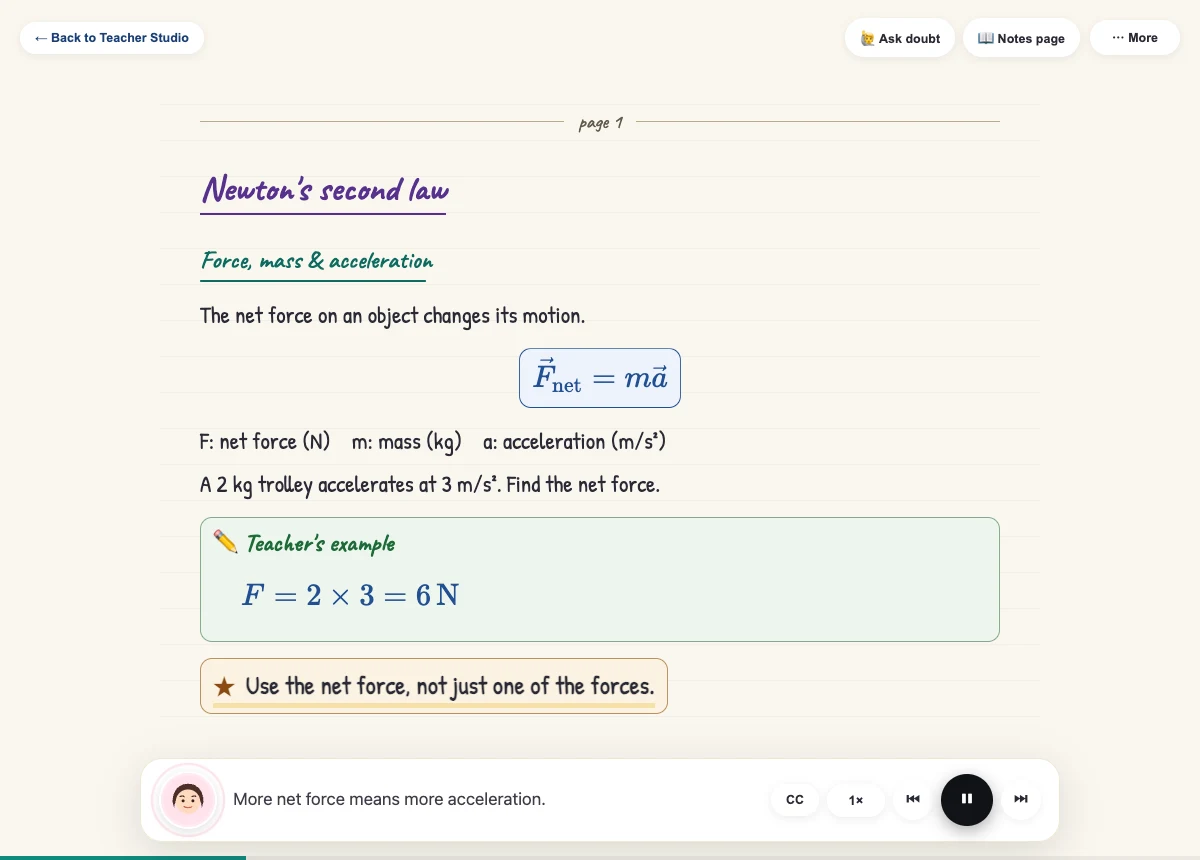
See how voice and whiteboard work together in this manually scripted sample. Your own class follows the pages you upload.
- See the reasoning unfold.
- Follow explanations, formulas and worked steps as the teacher speaks.
- Ask at the confusing part.
- Pause and ask a doubt without leaving your lesson.
- Make the pace yours.
- Replay a step, change playback speed or come back to a saved class.
How a class works
Bring the notes you already have.
Bring your notes
Upload a PDF or ordered photos of a topic, a few pages, or a chapter. Clear handwritten and typed notes both work.
Let your class take shape
Teacher Studio prepares your lesson. Start when the first part is ready.
Learn, ask, replay
Listen to the explanation, follow the board and revisit anything that needs another look.
Can I try Teacher Studio for free?
Yes. The free plan includes a limited number of Teacher Studio classes, with a page limit per class. Check Pricing for the current allowance. You will need an account and a verified email before generating a class; Google sign-in also verifies your email.
What kind of notes can I upload?
Bring notes for a topic, a few pages or a chapter, as a PDF or ordered JPG, PNG or WEBP images. Handwritten and typed notes are supported. Use clear, straight scans with readable formulas, and keep related pages in order for the best lesson flow. Your plan page limit applies.
Which language does the teacher use?
Teacher Studio currently teaches in English.
Does it explain formulas and diagrams too?
The whiteboard supports formulas, worked steps and tables. When a diagram is relevant, Teacher Studio can show the original notes page alongside the explanation so you can refer to the source figure.
Can I pause, ask questions and come back later?
Yes. Pause to ask a doubt during the class, replay a step or adjust playback speed. You can reopen classes from Saved lessons in Teacher Studio.
Are my uploaded notes put on the marketplace?
No. Uploading notes for a Teacher Studio class does not publish them for sale. Listing notes on the marketplace is a separate action you choose.
Should I still check my original notes?
Yes. Teacher Studio is an AI study aid, not a replacement for your teacher or textbook. It can misread unclear handwriting or make mistakes. Check important formulas and explanations against the original notes, especially before an exam.
Start with what you want to learn.
Your notes are the starting point. Understanding is the goal.